更新 [20180109]
pipenv 可以生成 requirements.txt
$ pipenv lock --requirments > requirements.txt
原文地址: https://www.ostechnix.com/pipenv-officially-recommended-python-packaging-tool/
译文
上次我们发布了一篇[如何用 Pip 进行 Python 包管理](如何用 Pip 进行 Python 包管理 "如何用 Pip 进行 Python 包管理")的文章。在那篇文章里我们讨论了如何安装 Pip,如何用 Pip 来安装、升级和删除 Python 包。我们也讨论了虚拟环境的重要性以及用 venv 和 virtualenv 工具创建虚拟环境的方法。但用 venv 和 virtualenv 管理多个虚拟环境是项乏味而且繁琐的任务,幸好我们有另外一个名为 Pipenv 的工具,它是 Python.org 官网最新推荐的包管理工具,它能够帮助我们不必建立虚拟环境的情况下非常容易地安装和管理依赖。Pipenv 可以为你的项目自动地创建和管理一个虚拟环境,当你安装 / 删除包文件时它可以添加 / 删除包名称到 Pipfile 文件。
为什么使用 Pipenv ?
Pipenv 解决下列实际问题:
- 你不再需要手动创建虚拟环境,Pipenv 为你自动创建。简单地说就是 pipenv 和 virtualenv 一起工作。
- 管理 requirements.txt 文件会导致一些问题,所以 Pipenv 用 Pipfile 和 Pipfile.lock 替代 requirements.txt,更适合于一般的使用场景。
- 安全。广泛地使用 Hash 校验,能够自动曝露安全漏洞。
- 随时查看图形化的依赖关系。
- 通过加载 .env 文件简化开发流程。
好了,让我们开始学习 pipenv 吧。
有很多方式来安装 pipenv,我们看看推荐的两种:
使用 pip 安装
官方推荐的安装方式是使用 pip。确认你已经装好了 Python 和 pip,如果没有,查看文章开头的那个链接。
如果 pip 已经安装好了,用下面的命令安装 pipenv
$ pip install --user pipenv
这个命令在用户级别(非系统全局)下安装 pipenv。如果安装后 shell 提示找不到 pipenv 命令,你需要添加当前 Python 用户主目录的 bin 目录到 PATH 环境变量。如果你不知道 Python 用户主目录在哪里,用下面的命令来查看:
$ python -m site --user-base
你会看到类似下面的输出
/home/sk/.local
这就是我的 Python 主目录,那 bin 目录就是 /home/sk/.local/bin,清楚了吧?好,运行下面的命令:
$ pipenv --update
任何时候你都可以用下面的命令升级 pipenv
$ pip install --user --upgrade pipenv
$ pipenv --update
使用 pipsi 安装
Pipsi 是一种帮助你在隔离的虚拟环境里安装 Python 脚本的工具。安装 pipsi,执行
$ curl https://raw.githubusercontent.com/mitsuhiko/pipsi/master/get-pipsi.py | python
按照安装提示,你必须修改 PATH 环境变量。
一旦 pipsi 安装完成,用下面的命令来安装 pipenv
$ pipsi install pew
$ pipsi install pipenv
最后,用下面的命令来验证安装
$ pipenv --update
要升级 pipenv,只需执行
$ pipsi upgrade pipenv
使用 pipenv 管理 Python 安装包
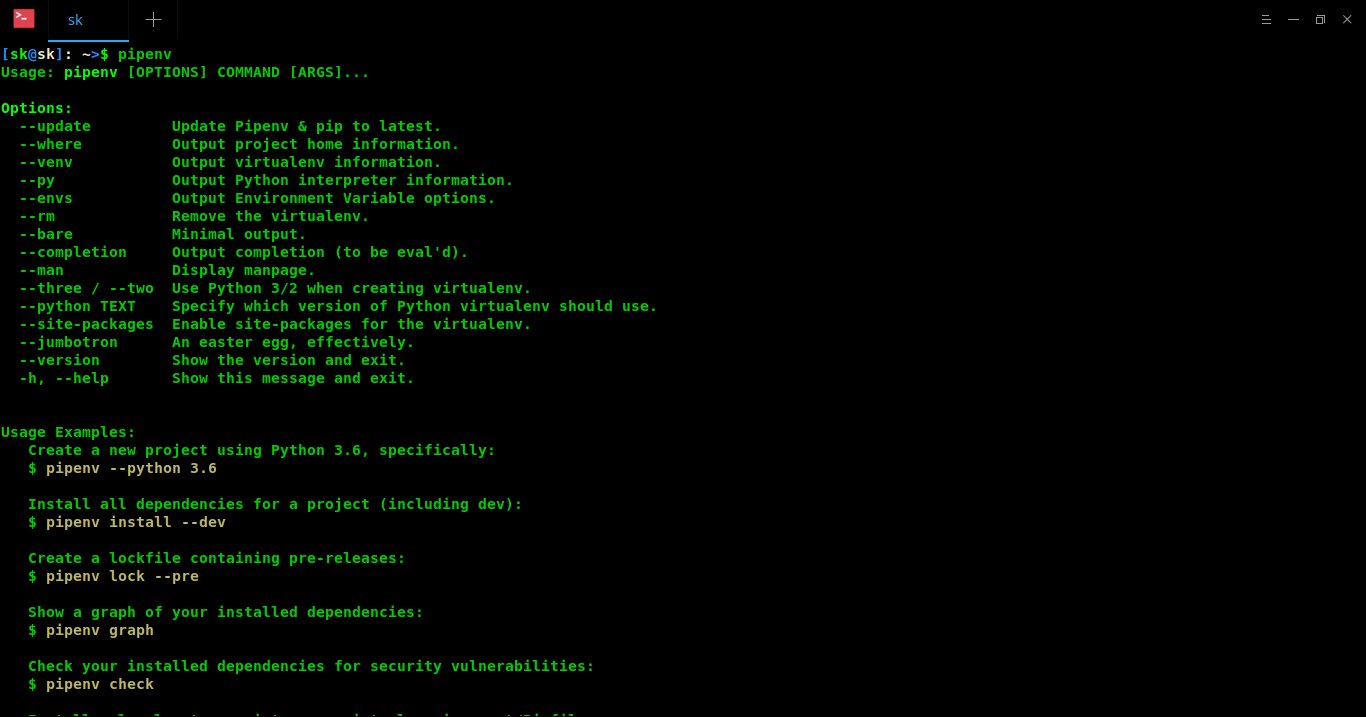
在 shell 中执行 pipenv 命令可查看可用命令和通用选项
$ pipenv
示例输出如下
安装软件包
新建一个项目目录或切换到已有项目目录
$ mkdir myproject
$ cd myproject
为你的项目安装依赖包
$ pipenv install requests
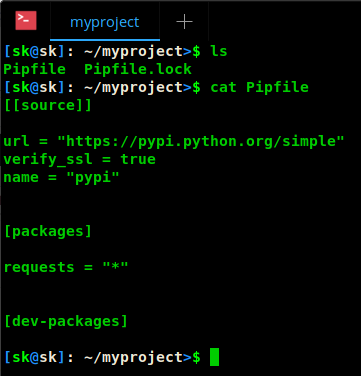
用 ls 命令查看当前项目目录,你会发现有两个文件:Pipfile 和 Pipfile.lock 。Pipfile 里有最新安装的包文件的信息,如名称、版本等。用来 在重新安装项目依赖或与他人共享项目时,你可以用 Pipfile 来跟踪项目依赖。
$ cat Pipfile
Pipfile.lock 则包含你的系统信息,所有已安装包的依赖包及其版本信息,以及所有安装包及其依赖包的 Hash 校验信息。
$ cat Pipfile.lock
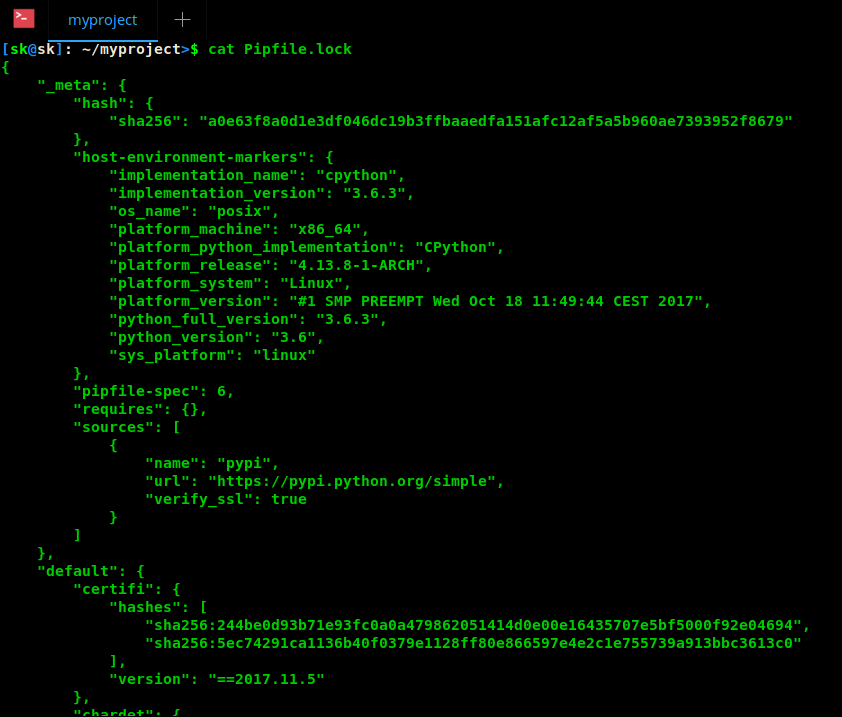
现在安装另一个包,再次查看这两个文件的内容。你会发现 Pipfile 现在包含两个安装包了,Pipfile.lock 也包含了所有已安装包的依赖包及其版本信息,以及所有安装包及其依赖包的 Hash 校验信息。每次你安装新的依赖包,这两个文件都会自动更新。
你注意到了吗?我并没有创建一个虚拟环境。Pipenv 自动为这个项目创建了一个虚拟环境,想知道它在哪里吗?用下面的命令来查看虚拟环境的位置
$ pipenv --venv
/home/sk/.local/share/virtualenvs/myproject-x7-2XYPN
查看项目根目录详情,用
$ pipenv --where
/home/sk/myproject
由上面命令的输出可知,/home/sk/myproject 是我的项目根目录,/home/sk/.local/share/virtualenvs/myproject-x7-2XYPN 是项目的虚拟环境目录。
你可以用 ls 命令查看虚拟环境目录下的内容。
ls /home/sk/.local/share/virtualenvs/myproject-x7-2XYPN
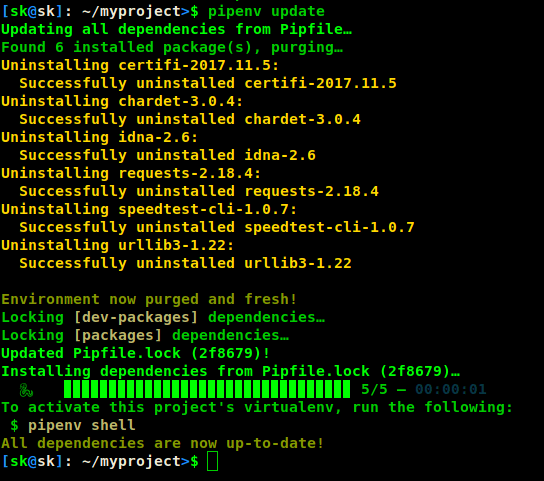
更新软件包
$ pipenv update
这个命令会删除所有软件包然后重新安装最新的版本。
检查软件包的完整性
你是否担心已安装的软件包有没有安全漏洞?没关系,pipenv 可以帮你检查,运行下面的命令
$ pipenv check
Checking PEP 508 requirements…
Passed!
Checking installed package safety…
All good!
上面的命令根据 Pipfile 里的 PEP 508 标记检查安全漏洞。
查看依赖树
我们执行 pipenv graph 看看会发生什么
$ pipenv graph
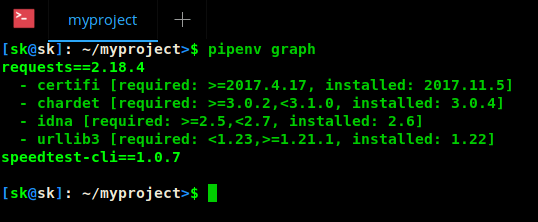
可以看到该命令显示了依赖树。
删除软件包
用下面的命令删除软件包
$ pipenv uninstall requests
Un-installing speedtest-cli…
Uninstalling speedtest-cli-1.0.7:
 Successfully uninstalled speedtest-cli-1.0.7

Removing speedtest-cli from Pipfile…
Locking [dev-packages] dependencies…
Locking [packages] dependencies…
Updated Pipfile.lock (c23e27)!
删除全部软件包
$ pipenv uninstall --all
Un-installing all packages from virtualenv…
Found 1 installed package(s), purging…

Environment now purged and fresh!
查看详细用法
$ pipenv -h
或
$ pipenv --man
我使用 pipenv 后,确实感觉比 pip 更方便。既然它由 Python.org 官方推荐,你安装 Python 软件包时可以弃用 venv 和 virtualenv 了。
今天的教程就到这里了,更多精彩文章,敬请期待。
资源:
* Pipenv GitHub 页面
译后实践
我在 Mac 下使用时遇到些问题:
- 需要指定 LOCALE 环境变量 export LC_ALL=en_US.UTF-8 export LANG=en_US.UTF-8
- 需要升级 pip 到最新版本,最好安装 pipenv 时指定 --upgrade 参数 pip install --user --upgrade pipenv
- 安装某些包时会报错,产生不了 Pipfile.lock 文件。 https://github.com/pypa/pipenv/issues/515
- 这篇教程里没说怎么使用自动创建的虚拟环境,官方文档里有:
$ pipenv run python main.py


